
Immersive Background Expander
Applies the immersive background effect inside the new Cider 4 container.
schedule Updated 6/5/2026
0



Hide Controls in Immersive Mode
This code helps ensure that the volume, pause, and skip controls don't appear in immersive mode unless you move the cursor over them, creating a more immersive experience.
schedule Updated 10/16/2026
0


Cider-TUI
Transform Cider into a minimalist terminal-inspired UI (Tip: set Visual > Font to a monospaced font).
schedule Updated 8/30/2026
0
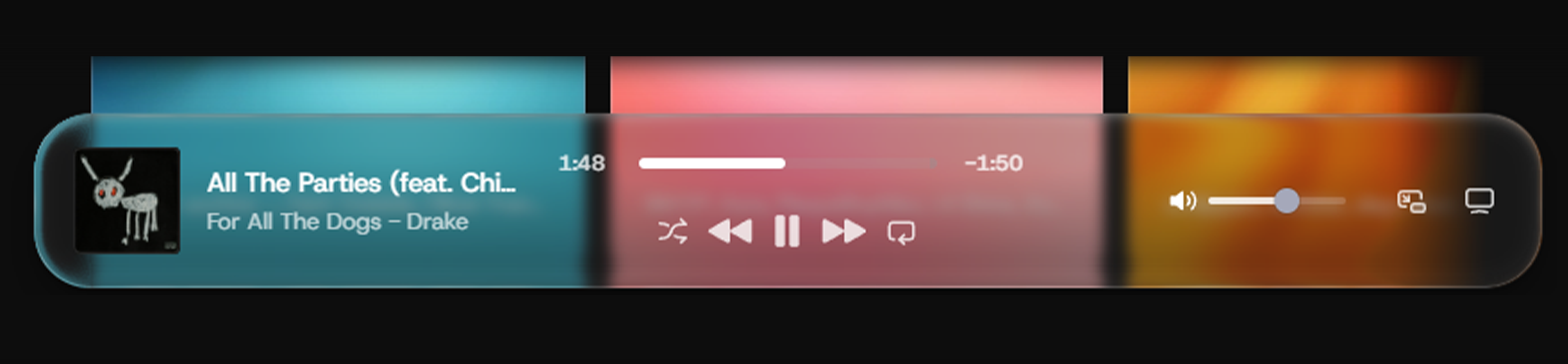
Enhanced Calico Player Transparency
<p>Reduces the intensity of the player's tint to create a lighter more transparent appearance while preserving the Liquid Glass effect. Made for the Calico layout.</p>
schedule Updated 6/14/2026
0
Transparency Theme for Linux
This theme completely removes the background of cider so that you can perform other effects such as background blur
schedule Updated 6/5/2026
0

Cover Glow
<p>Adds a soft, pulsing white glow around the large cover art in the header of album and playlist pages. Hovering over the cover makes the glow grow and intensify smoothly, without restarting the animation. Soft, slow pulse that gives the cover a “breathing” glow. Muted white glow that blends with any theme or accent color. Smooth hover effect: the cover scales up slightly and the glow gets stronger. Only affects the header cover, so song thumbnails and the rest of the interface stay untouched.</p>
schedule Updated 11/15/2026
0
Sonoma immersive lyric offset
<p>Re-position the lyric's panel in Immersive Sonoma mode when it's bugged.</p>
schedule Updated 8/2/2026
0

Transparent Background
<p>Removes the black background to let the immersive view be full screen</p>
schedule Updated 7/30/2026
0

Love Icon for Favorites
Replace the "Star" for Favorites with a "Heart" Icon
schedule Updated 6/23/2026
0
Hide Concerts
<p>Removes the Upcoming Concerts badge and hides the All Upcoming Concerts section for a cleaner artist page experience.</p>
schedule Updated 6/19/2026
0
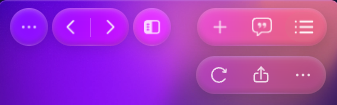
Enhanced Glass Depth
<p>Made for Dark Mode Calico Layout. Improves visual consistency across all glass elements by enhancing navigation controls, toolbars, and the player with additional depth, shadows, and subtle highlights. Removes the default outline effect for a cleaner, more cohesive appearance.</p>
schedule Updated 6/19/2026
0
Loop/Shuffle Dot Indicator
Adds a small dot indicator to the loop and shuffle icons in the playback bar, providing clarity when icons are toggled on or off.
schedule Updated 6/13/2026
0

Transparency expanded
<p>Expanded transparency in albums, recently added, cider audio lab </p>
schedule Updated 6/12/2026
0

Artist Page
<p>Brings back the old layout for the artist page but with new elements.</p>
schedule Updated 6/10/2026
0